
Last updated: July 17, 2026
Quick Answer: Google Sheets is the better choice for real-time collaboration, AI-assisted analysis with Gemini, and zero-cost access. Microsoft Excel wins for large datasets, advanced financial modeling, Power Query, VBA automation, and offline-first workflows. The right pick depends on your team size, data volume, and how much you rely on formulas versus cloud connectivity.
Key Takeaways
- 🟢 Google Sheets is free, browser-based, and now has Gemini AI built directly into cells for text generation, classification, and summarization
- 🔵 Microsoft Excel handles larger datasets faster, supports VBA/macros natively, and offers deeper tools like Power Query and Power Pivot
- Google Sheets now imports Excel 3D bar charts without flattening them (rolling out July 2026), closing a long-standing compatibility gap [2][10]
- Excel’s row limit is 1,048,576 rows per sheet; Google Sheets caps at 10 million cells per spreadsheet
- Microsoft 365 Personal starts at around $69.99/year; Google Sheets is free with a Google account, with Workspace plans from $6/user/month
- Both tools support XLOOKUP, LAMBDA, and dynamic arrays, but syntax differences can trip up switchers, see our guide on spreadsheet formula syntax differences between Sheets and Excel
- Macros in Sheets use Google Apps Script (JavaScript-based); Excel uses VBA, they are not interchangeable
- For sensitive business data, both platforms offer enterprise-grade security, but your IT policy may dictate the choice
What Are the Main Differences Between Google Sheets and Excel in 2026?
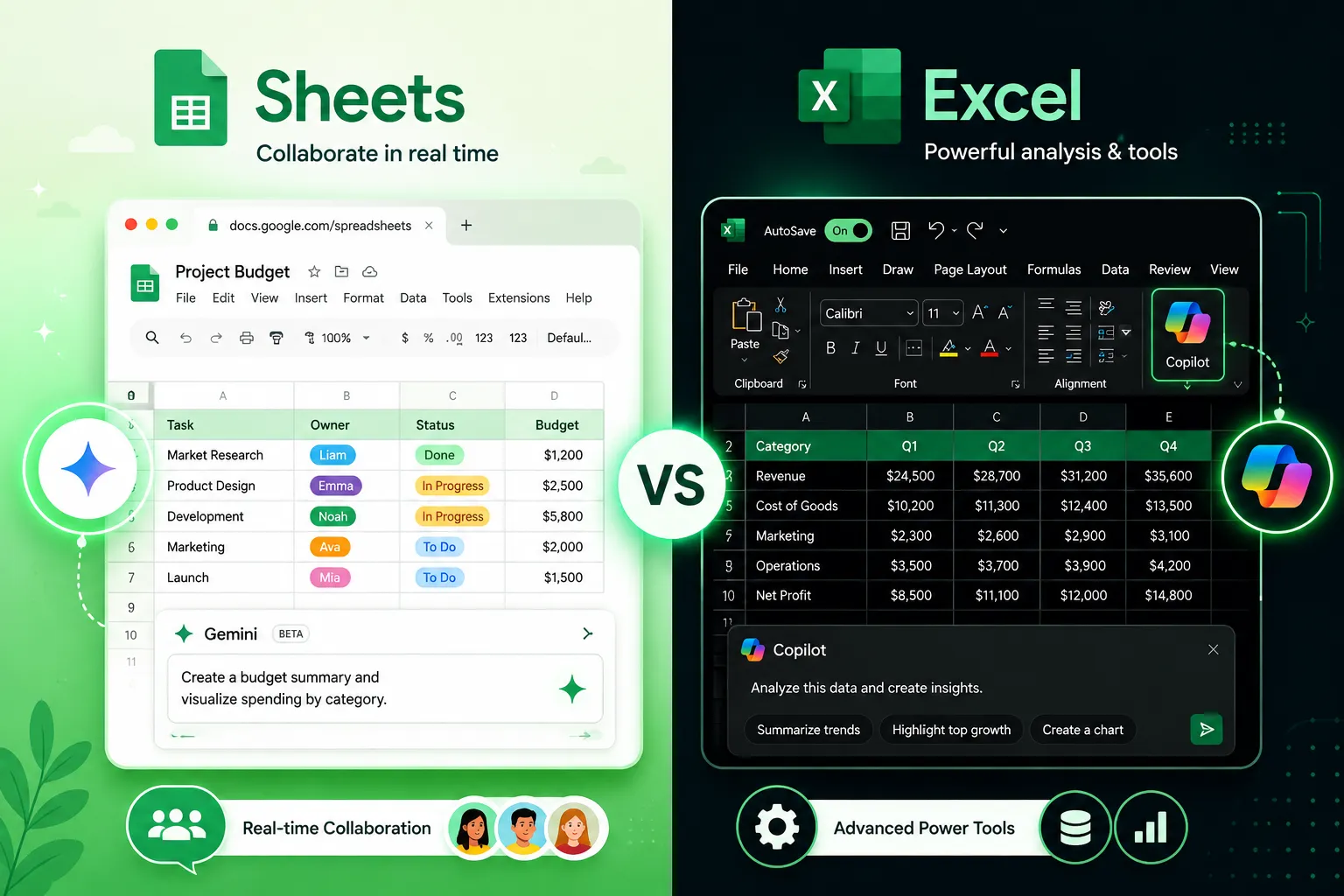
Google Sheets is a cloud-native browser app built for collaboration and AI integration. Excel is a desktop-first application with decades of power-user features, now also available online via Microsoft 365. In 2026, the gap has narrowed, but each tool still has a clear home turf.
| Feature | Google Sheets | Microsoft Excel |
|---|---|---|
| Price | Free (personal); Workspace from $6/user/mo | Microsoft 365 from ~$69.99/year personal |
| Row limit | ~10M cells per sheet | 1,048,576 rows × 16,384 cols |
| AI assistant | Gemini (Fill with Gemini, formula help) | Copilot (formula suggestions, data analysis) |
| Offline use | Limited (requires setup) | Full native offline |
| Macros/automation | Google Apps Script (JavaScript) | VBA + Power Automate |
| Data connectors | Connected Sheets (BigQuery), Google Data Studio | Power Query, Power Pivot, SQL connectors |
| Real-time collaboration | Excellent, built-in | Good (Microsoft 365 cloud version) |
| Chart compatibility | Now imports Excel 3D charts intact [2][10] | Full chart library |
Choose Google Sheets if: your team collaborates daily, works across devices, or needs AI text analysis in cells. Choose Excel if: you work with 500,000+ rows, build financial models, or rely on VBA automation.
Which Is Better for Large Datasets: Google Sheets or Excel?
Excel handles large datasets significantly better than Google Sheets. Excel’s per-sheet row limit of 1,048,576 rows, combined with Power Query for data transformation and Power Pivot for in-memory modeling, makes it the clear winner for heavy data work.
Google Sheets caps at 10 million cells per spreadsheet (not per sheet), and performance degrades noticeably with complex formulas above roughly 100,000 rows. That said, Google’s Connected Sheets feature lets Sheets query BigQuery datasets of billions of rows without importing them, a smart workaround for analytics teams already on Google Cloud. [1][9]
Common mistake: Trying to paste a 500,000-row export directly into Google Sheets. Use Connected Sheets or export a summary instead.
Can Google Sheets Handle the Same Formulas as Excel?
Google Sheets supports most Excel formulas, including XLOOKUP, LAMBDA, LET, and dynamic arrays, but there are syntax differences and some functions that exist only in one platform. For example, IFERROR works in both, but Excel’s DATEDIF behaves differently, and some array formula syntax requires ARRAYFORMULA wrappers in Sheets.
In June 2026, Google added Gemini-powered formula-error troubleshooting directly in Sheets, so when a formula breaks, Gemini can explain why and suggest a fix. [1][9] Excel’s Copilot offers similar help via the ribbon.
For a full breakdown of syntax gaps and translation tips, see this guide on spreadsheet formulas in Google Sheets vs Excel. If you’re just getting started with Excel formulas, the beginner’s guide to using Excel is a solid starting point.
Edge case: LAMBDA functions work in both, but named functions in Sheets are scoped per spreadsheet, not globally across your account.
How Much Does Google Sheets Cost vs an Excel Subscription?
Google Sheets is free for personal use. Google Workspace (business plans) starts at $6/user/month for the Business Starter tier. Microsoft 365 Personal costs approximately $69.99/year (about $5.83/month), and Microsoft 365 Business Basic starts at $6/user/month.
For teams already using Google Workspace for Gmail and Drive, Sheets adds no extra cost. For organizations on Microsoft 365, Excel is already included. The real cost question is switching costs and training time, not the subscription price.
Is Google Sheets Good for Financial Modeling and Analysis?
Google Sheets can handle light-to-medium financial modeling, including budget templates, P&L statements, and scenario analysis. However, serious financial modeling, multi-tab DCF models, Monte Carlo simulations, large audit-trail workbooks, still belongs in Excel.
Excel’s advantages for finance:
- Named ranges and structured tables scale better across large models
- Power Query pulls live data from databases, web sources, and APIs without add-ons
- Solver and Data Analysis ToolPak are built in
- VBA lets analysts automate repetitive tasks like report generation
Google Sheets advantages for finance teams:
- Multiple analysts can edit simultaneously without version conflicts
- Gemini can classify transaction categories or summarize text fields in bulk [1][5]
- Google Forms + Sheets pipelines work well for expense collection
For building reusable calculation blocks that work in either tool, see spreadsheet equations for real analytics.

What Can Excel Do That Google Sheets Still Can’t in 2026?
Excel still leads in four areas: raw performance, VBA automation, Power Query/Pivot, and offline reliability. These aren’t minor gaps, they’re the reason most enterprise finance, data engineering, and operations teams stay on Excel.
Specific Excel-only capabilities (as of mid-2026):
- VBA macros: Record and run complex automation sequences; Sheets uses Apps Script (JavaScript), which is not compatible
- Power Query: A full ETL tool built into Excel for cleaning, merging, and reshaping data from dozens of source types
- Power Pivot: In-memory columnar data model that can handle tens of millions of rows with DAX formulas
- Custom chart types: More granular control over chart formatting and axis behavior
- Solver add-in: Linear and nonlinear optimization built in
For power users who want to speed up either tool, keyboard automation and custom cursor tips apply to both platforms.
Does Google Sheets Work Offline Like Excel Does?
Google Sheets has offline mode, but it requires setup and has limitations. You must enable offline access in Google Drive settings before going offline, and you need the Google Docs Offline Chrome extension. Changes sync when you reconnect.
Excel works fully offline by default, no setup, no extension, no sync dependency. For field workers, frequent travelers, or anyone in areas with unreliable internet, Excel’s offline experience is meaningfully better.
Decision rule: If your team works in locations with spotty connectivity even occasionally, Excel is the safer choice.
How Fast Is Google Sheets Compared to Excel With Big Files?
Excel is faster with large, formula-heavy files. Google Sheets runs in a browser and processes calculations on Google’s servers, which introduces latency with complex workbooks. Excel runs calculations locally on your machine’s CPU and RAM, which is why a 200,000-row VLOOKUP recalculates in seconds on a modern laptop but may lag noticeably in Sheets. [4][7]
Google’s Connected Sheets approach sidesteps this by offloading queries to BigQuery rather than loading data into the sheet itself. For analytics use cases where the data lives in BigQuery, Sheets can actually feel faster because it never tries to hold the data locally. [1][9]
Can You Use Macros and VBA in Google Sheets Like Excel?
No, Google Sheets does not support VBA. Sheets uses Google Apps Script, which is based on JavaScript. You can automate many of the same tasks (formatting, sending emails, pulling API data), but existing Excel VBA code cannot be directly ported.
If you’re migrating from Excel and rely on macros, plan for a rewrite in Apps Script. Simple macros (formatting loops, copy-paste routines) translate in an hour or two. Complex VBA with custom forms, API calls, or deep Excel object model usage may take days.
Tip: Excel’s macro recorder generates VBA automatically, a useful reference even when rewriting logic in Apps Script.
Is Google Sheets Secure Enough for Sensitive Business Data?
Yes, for most business use cases. Google Workspace uses AES-256 encryption at rest and TLS in transit, with admin controls for data loss prevention, access auditing, and two-factor authentication. Enterprise plans add customer-managed encryption keys (CMEK).
That said, some regulated industries (healthcare, defense contracting, certain financial services) have data residency or sovereignty requirements that may favor Microsoft 365’s compliance certifications or on-premises Excel deployments. Check your organization’s data governance policy before defaulting to either platform.
For controlling who can edit specific cells, Excel’s sheet protection features are covered in detail in this guide to locking cells in Excel.
Common Mistakes When Switching From Excel to Google Sheets
The biggest mistake is assuming formulas, formatting, and macros transfer perfectly. They often don’t, and the silent failures are the dangerous ones.
Watch out for:
- Named ranges, Sheets supports them, but the scope and behavior differ from Excel
- Array formulas, Excel’s Ctrl+Shift+Enter arrays don’t work in Sheets; use
ARRAYFORMULA()instead - Conditional formatting rules, Complex rule stacks may not import correctly
- 3D bar charts, Until July 2026, these were silently flattened to 2D on import; the fix is now rolling out [2][10]
- VBA macros, These are stripped on import; plan for Apps Script rewrites
- Date formatting, Regional date format differences can corrupt date values silently
Quick checklist before migrating:
- Audit all macros and flag for rewrite
- Test every critical formula after import
- Verify chart types rendered correctly
- Check date columns for corruption
Who Should Use Google Sheets and Who Should Stick With Excel?
Use Google Sheets if you:
- Work on a team that edits files simultaneously
- Need free access across personal devices
- Want Gemini AI to help with text analysis, classification, or formula errors [1][5][9]
- Already use Google Workspace for email and storage
- Work with datasets under ~100,000 rows
Stick with Excel if you:
- Build complex financial models or use Power Query/Pivot
- Work with datasets over 500,000 rows
- Rely on VBA macros or Excel add-ins
- Need full offline functionality
- Work in a regulated industry with strict data residency requirements
How to Migrate Excel Files to Google Sheets Without Losing Data
The safest migration approach is to upload, test, and fix, never assume a clean import. Google Drive converts .xlsx files automatically when you upload them, but complex workbooks need manual verification.
Step-by-step migration process:
- Upload the
.xlsxfile to Google Drive and open it as a Google Sheet - Check all formulas, especially array formulas, named ranges, and any function that has a Sheets equivalent with different syntax
- Test macros, VBA will not run; identify which macros are critical and rewrite them in Apps Script
- Verify charts, As of July 2026, 3D bar charts now import intact, but other chart types may still need adjustment [2][10]
- Check data types, Dates, currencies, and percentages can shift formatting on import
- Share with collaborators and confirm they see the correct version
For a deeper look at formula translation between platforms, the spreadsheet formulas guide covers the most common syntax differences in detail.
Frequently Asked Questions
Q: Is Google Sheets replacing Excel? No. Google Sheets has grown significantly, but Excel remains the standard for enterprise finance, data engineering, and any workflow requiring VBA, Power Query, or very large datasets. Both tools are growing, they serve different primary use cases.
Q: Can I open Google Sheets files in Excel?
Yes. You can download any Google Sheet as an .xlsx file from File > Download. Most formatting and formulas transfer, but Google-specific functions (like GOOGLEFINANCE or IMPORTRANGE) will show as errors in Excel.
Q: What is Gemini in Google Sheets? Gemini is Google’s AI assistant integrated into Sheets. As of July 2026, it supports Fill with Gemini (generate text, classify, summarize in cells), formula error troubleshooting, and is available in 11+ languages for users with AI Expanded Access licenses. [1][3][9]
Q: Does Excel have an AI assistant like Gemini? Yes, Microsoft Copilot is integrated into Excel via Microsoft 365. It can suggest formulas, explain data trends, and generate Python scripts for analysis. Both AI tools are improving rapidly in 2026.
Q: Can Google Sheets connect to external databases? Yes, via Connected Sheets (BigQuery integration) and third-party add-ons. Excel connects to a broader range of data sources natively through Power Query, including SQL Server, Oracle, web APIs, and more.
Q: Which is better for students and educators? Google Sheets, because it’s free, works on any device, and integrates with Google Classroom. Excel is available free to students through many universities via Microsoft 365 Education.
Q: Are Google Sheets formulas the same as Excel? Most core formulas are the same, but syntax differences exist, particularly for array formulas, date functions, and some statistical functions. See the formula syntax comparison guide for specifics.
Q: Can multiple people edit an Excel file at the same time? Yes, in the Microsoft 365 online version and desktop app (with AutoSave enabled). Google Sheets still has a smoother real-time collaboration experience with fewer conflicts.
Conclusion
The Google Sheets vs Excel in 2026: Complete Feature-by-Feature Comparison for Serious Spreadsheet Work comes down to this: Google Sheets wins on accessibility, collaboration, and AI-powered text analysis. Excel wins on raw power, data volume, automation depth, and offline reliability.
Actionable next steps:
- If you’re on a small team with modest data needs: Start with Google Sheets, it’s free and the Gemini AI features are genuinely useful for text-heavy workflows
- If you work in finance, analytics, or operations with large datasets: Stay on Excel and explore Power Query if you haven’t already
- If you’re switching from Excel to Sheets: Run the five-step migration checklist above and audit your macros before committing
- If you use both: Keep Excel for heavy modeling and use Sheets as a lightweight front-end for sharing summaries and collecting inputs
Neither tool is going away. The best spreadsheet professionals in 2026 know both, and pick the right one for the job.
References
[1] Google Workspace Updates Blog 2026 – https://workspaceupdates.googleblog.com/2026/
[2] Google Workspace Weekly Recap July 3 2026 – https://www.taxheal.com/google-workspace-weekly-recap-july-3-2026.html
[3] Weekly Recap 07-10-2026 – https://workspaceupdates.googleblog.com/2026/07/weekly-recap-07-10-2026.html
[4] Google Sheets Vs Excel: A Comprehensive 2025 Comparison – https://spreadsheetshub.com/blogs/articles/google-sheets-vs-excel-a-comprehensive-2025-comparison
[5] Google Release Updates – https://releasebot.io/updates/google
[7] Excel Vs Google Sheets: Which One Is Better In 2025 – https://www.advancedexcel.net/blog/excel-vs-google-sheets-which-one-is-better-in-2025/
[9] Google Workspace What’s New – https://knowledge.workspace.google.com/admin/releases/whats-new
[10] Google Sheets Imports Excel 3D Bar Charts Intact, Ending Silent Downgrade – https://www.techtimes.com/articles/319888/20260708/google-sheets-imports-excel-3d-bar-charts-intact-ending-silent-downgrade.htm